Helpful Terms
Resolution is the depth of detail contained in an image. In other words, it is the number of pixels within a photo. So the higher the resolution and pixel count, the more detail and definition the photo will have. There are a couple of terms to understand before we delve deeper into image resolution.
Pixels: A pixel is the smallest unit of a digital image, representing a single point of color or brightness.
Next is PPI and DPI, which both act as an expression for image resolution. PPI refers to pixels per inch whereas DPI refers to dots per inch. So if they both convey the resolution of images, then how are they different? Well, DPI is only used for printed images, where there are dots rather than pixels that make up the photo.
Why Is Image Resolution So Important?
Image resolution is important in many different arenas such as photography, printing, and web design. Seeing as low resolution images in turn produce low quality prints, regardless of the size. Below is an example of a low-resolution and high-resolution image.
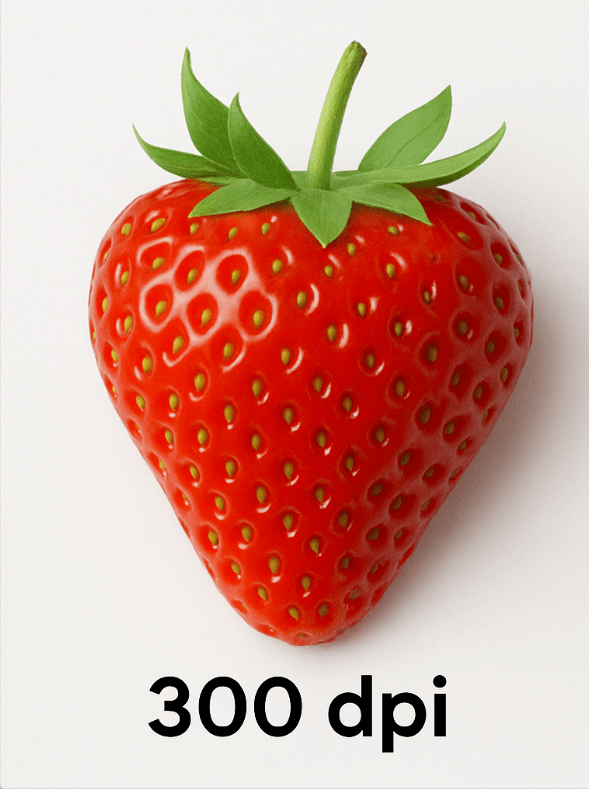
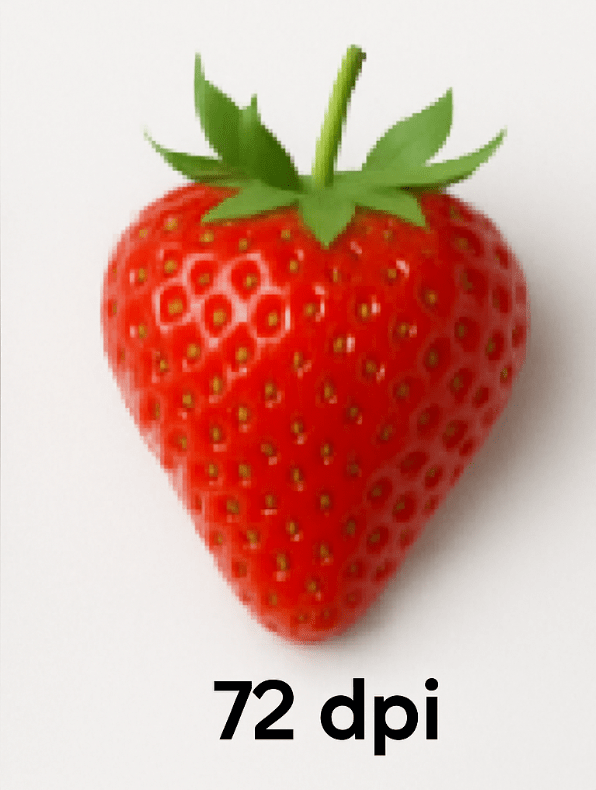
The difference in detail and clarity between the two photos is obvious. The high-resolution image has smaller, denser pixels, which means it can be enlarged with less loss of quality.
How Is Image Resolution Calculated?
You can calculate image resolution by determining the total number of pixels in an image, which is commonly expressed as a horizontal x vertical measurement, such as 1820 x 1080. This means that the image would have a width of 1820 pixels and a height of 1080 pixels.
To calculate the DPI, you need to divide the number of pixels by the image’s physical size in inches. This is done by dividing the horizontal number of pixels by the width of the print in inches. This simply means that the very same photo can generate prints with different DPI depending on the print’s size. This is why it’s so important to ensure that the size of your print and quality of photo are compatible, in order to truly produce a stunning work of art.
For instance if you have an image that is 2100 x 1500 pixels printed as a 7 x 5” print, it will have a DPI of 300. The DPI value will change as the size of the print changes.
How I Find Out My Image Resolution?
You can easily find out the resolution of your image using our site, Windows, or a Mac computer.
When using our site (The Meticulous Puffin), upload your image and wait for the visual indication to show the results, as it will reveal with your photo print will look good. As seen below, a quality print will be produced when the indicator reads “good” or “excellent.”
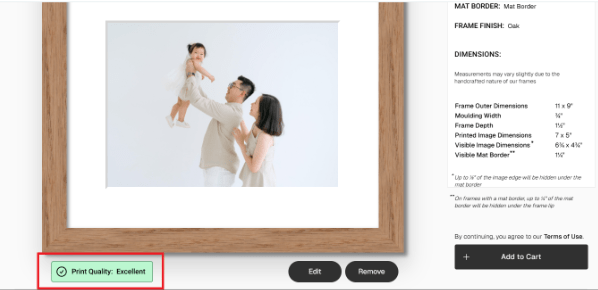
In order to receive a good rating the PPI of the image must be 150 or greater. An excellent rating requires a photo with a PPI of 225 or better. If the visual indicator does not state good or excellent, then you will need to upload an image with better resolution. That said, getting the exact resolution measurement of your image can be done right from your computer.
For Windows, go to your image file, then right click on it and select “Properties” from the available list of actions. Within the properties box, locate and tape the “Details” tab at the top, then under “Image” look for the dimensions.

If you are using a Mac computer, finding the image’s dimensions is just as straightforward. To do so you can go to “Finder”, right click on an image, and select the option “Get Info”. Once you complete these steps you can view the specific dimensions of your work of art.

Do More Pixels Mean Better Image Detail?
Every pixel in a photo is only capable of showing a single color. Simply put, it isn’t possible to have more than one detail within a single pixel. The higher the number of pixels, the greater the potential for more detail in an image.
However, the word potential is key here, as the depth of detail in photos depends on more than just the number of available pixels. There are other factors such as photographic techniques, image noise, and lens quality that all play a major role in determining how detailed the photo ends up. So, a high resolution image may give a bigger photo to view but that doesn’t necessarily mean that it will display more detail.
Does More Dots Per Inch (DPI) Mean Better Image Detail?
Yes, higher dots per inch does mean better image detail in printing. This is because DPI measures the density of ink droplets (or dots a printer places on a physical page) and a high DPI means that more dots are packed into an inch, which allows for finer details and smoother gradients to be produced. The outcome is a clear and higher quality print, that is a more accurate and detailed representation of the digital moment captured. Something that low resolution prints are unable to do.
How To Know The Right Image Resolution
When it comes to image resolution, there is a large range of options. For high-quality prints, 150 DPI and above is often considered the standard, though at “The Meticulous Puffin” we print up to 300 DPI using high-quality inks, giving you crystal clear, true to color prints you can cherish for years to come
When deciding which resolution will work best for you, it’s important to consider the purpose of your photo, how large it needs to be, and where you intend to use it. For example, are you going to use the image in an art gallery? Or in your home? If it is the former, then you would want to consider using a picture with a high resolution of 300 DPI. This value can be adjusted based on the depth of detail needed and how large the photo must be. Alternatively, for your everyday home prints 150 DPI should do the trick.
Where Can I Print My High Resolution Images?
Print your precious and high-quality quality photos at The Meticulous Puffin. Our easy-to-use website turns your images into stunning prints in seconds! Upload your image, choose from multiple shapes, sizes, and finishes, that will bring your digital prints to life.
 The Meticulous Puffin Blog
Leave a comment